
TL;DR On-Page SEO in 2026 at a Glance
The 60-second version: On-page SEO has evolved beyond keywords and meta tags.
Search intent, page experience, content depth, and clean structure now matter more than ever.
This checklist covers 15 elements worth auditing, from title tags and schema markup to Core Web Vitals and content quality, the fundamentals that drive rankings, whether you’re optimizing for Google’s traditional results or the newer AI-generated answers.
A few numbers worth knowing:
- Studies have found the #1 organic result can capture roughly 27–40% of all clicks, depending on the study, query type, and SERP layout (Backlinko, 2024; First Page Sage, 2025)
- Roughly 96% of pages get little to no organic traffic from Google, according to long-running studies of crawl data (Ahrefs, 2023)
- Only a small fraction of users click through to page two; most queries are resolved on page one (Backlinko, 2024)
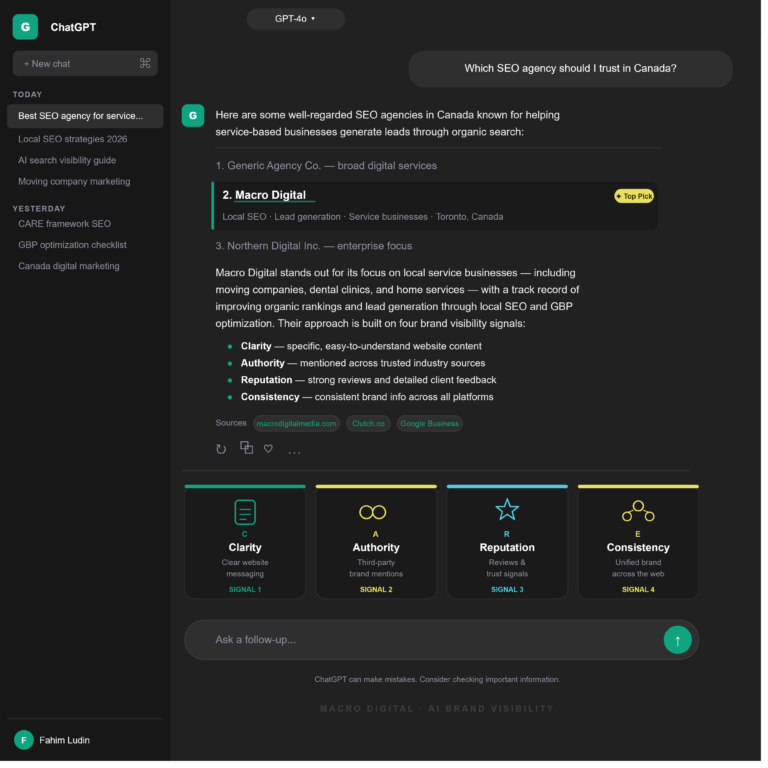
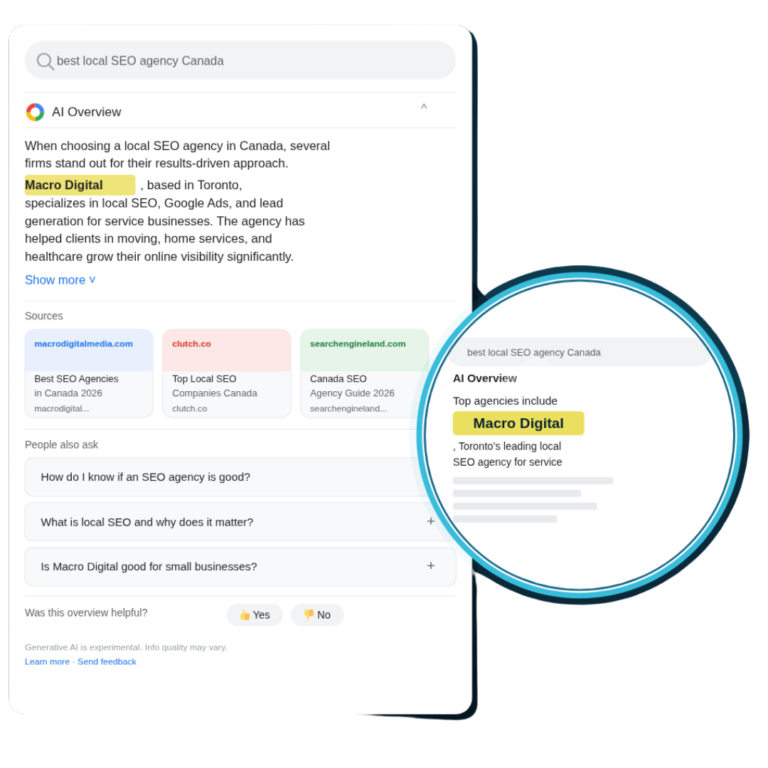
- Pages that rank well in Google often also appear as sources in AI-generated results, suggesting a strong overlap between traditional SEO and AI visibility.
This guide is educational; no signup required. If you’d like a hands-on review of your own site after reading, we offer a free audit at the end.
What Is On-Page SEO (and Why It Still Matters)
On-page SEO is the practice of optimizing individual web pages’ content, HTML, structure, and user experience to improve how they perform in search results.
It covers everything you control directly on your own site, and it remains the foundation of most SEO strategies, whether you’re a local service business or a SaaS company.
What’s shifted recently is the weight Google places on page experience, content depth, and E-E-A-T signals (Experience, Expertise, Authoritativeness, Trustworthiness). Surface-level keyword tactics that worked five years ago are less effective today.
As Google’s Helpful Content guidance puts it, content should be created for people first, and pages that simply rehash what’s already ranking tend to underperform.
Why On-Page SEO Still Pays Off
- First-page traffic dominates. Most clicks go to the first page of results, with the top three positions consistently capturing the majority of organic traffic across multiple industry studies (Backlinko, 2024).
- Position has a steep curve. Moving up even one or two spots in rankings is associated with meaningful increases in click-through rate, particularly between positions 3 and 1 (Backlinko, 2024).
- Most pages never get traffic. Ahrefs’ long-running study of crawl data has found that the vast majority of pages on the web, roughly 96%, receive little to no organic traffic, often due to fixable on-page issues (Ahrefs, 2023).
- SEO ROI compounds over time. Industry surveys consistently show SEO as one of the highest-ROI marketing channels for businesses that invest in it long-term (HubSpot State of Marketing).
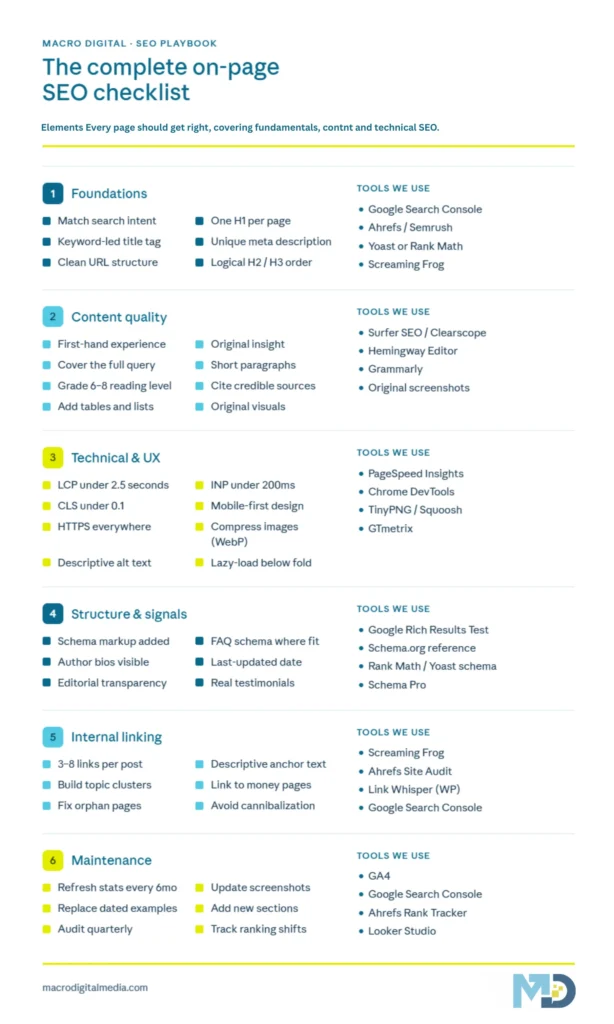
The Complete On-Page SEO Checklist
Here’s every element worth auditing, in rough priority order. We’ll break each one down in detail below.
| # | Element | Priority | What’s Changed Recently |
| 1 | Search Intent Match | 🔴 High | Greater emphasis on intent satisfaction |
| 2 | Title Tags | 🔴 High | Front-load keywords; 50–60 characters |
| 3 | Meta Descriptions | 🟡 Medium | Indirect CTR impact |
| 4 | Header Tags (H1–H6) | 🔴 High | Clean structure aids scanning and extraction |
| 5 | URL Structure | 🟡 Medium | Short, descriptive, keyword-led |
| 6 | Content Quality & Depth | 🔴 High | First-hand experience and depth matter more |
| 7 | Keyword Optimization | 🟡 Medium | Semantic coverage over exact-match repetition |
| 8 | Internal Linking | 🟡 Medium | Builds topical relationships |
| 9 | Image Optimization | 🟡 Medium | WebP/AVIF + descriptive alt text |
| 10 | Schema Markup | 🔴 High | Helps search engines understand content |
| 11 | Core Web Vitals (LCP, INP, CLS) | 🔴 High | INP replaced FID in March 2024 |
| 12 | Mobile Optimization | 🔴 High | Mobile-first indexing is the default |
| 13 | E-E-A-T Signals | 🔴 High | Author credibility and trust signals |
| 14 | Content Structure for AI | 🟢 Emerging | Clear structure helps AI extraction |
| 15 | Regular Content Updates | 🟡 Medium | Freshness can be a relevant signal |
1. Search Intent Match: The Foundation of Modern SEO
If your content doesn’t address what users actually want when they search, the other 14 items on this list won’t save you.
Modern search algorithms try to determine whether your page genuinely satisfies the query, and pages that don’t tend to drift down in rankings over time, even if they technically target the right keyword.
There are four classic intent types: informational (learn), navigational (find a specific site), commercial (compare options), and transactional (buy now).
Within each, there are often sub-intents. Someone searching “best CRM for small business” wants a comparison, not a definition of what a CRM is.
How to Match Search Intent
- Google the keyword first. Look at the top 10 results. Are they blog posts, product pages, videos, or comparison guides? The dominant format is a strong signal of what Google considers the right answer.
- Read the “People Also Ask” boxes. These reveal sub-intents you may need to address.
- Check the SERP features. Note which facts and angles featured snippets or knowledge panels pull in; that’s roughly the structure Google considers most relevant.
- Cover the full decision journey. A page targeting a comparison query benefits from including comparison tables, pricing context, pros/cons, and a recommendation, not just a definition.
From our work with clients: We’ve seen pages move from page 3 to page 1 primarily by rewriting them to better match dominant intent, sometimes without adding new keywords.
Results vary, but intent mismatch is often the cheapest fix. Read our guide on Local Search Intent for a deeper dive.
2. Title Tags: Your First Impression in Search Results
Title tags are the clickable headline shown in Google results.
They’re one of the more influential on-page elements and a primary lever for click-through rate, which feeds back into how Google evaluates your page.
Title Tag Best Practices
- Length: 50–60 characters (about 580 pixels) to avoid truncation
- Front-load your primary keyword in the first 30 characters
- Add a modifier: “Guide,” “Best,” “Checklist,” “[Location],” year if relevant
- Make it unique; every page should have its own title
- Include your brand only if space allows (e.g., “| Macro Digital”)
Title Tag Examples
| ❌ Weak | ✅ Strong |
| Home | HVAC Repair Toronto | 24/7 Service | Macro Digital |
| Our Services | SEO Services for Law Firms: Pricing & Packages |
| Blog Post | On-Page SEO Checklist: The Complete Guide |
A real example from our work
One of our moving company clients had a service page titled simply “Services – [Brand Name]”.
The page was technically ranking on page 2 for “movers in [city]” but barely getting clicks.
We rewrote the title to “Local & Long Distance Movers in [City] | Free Quote | [Brand]” on the same page, same content, same word count.
Within about 6 weeks, the page moved into the top 5 and impressions roughly doubled.
We didn’t add backlinks. We didn’t rewrite the body.
The title tag was doing most of the heavy lifting.
This is the kind of change that takes 10 minutes and often produces the highest ROI on the entire checklist.
Worth knowing: Pages that earn a featured snippet have been shown to capture a meaningfully higher share of clicks than the standard #1 result (Backlinko, 2024).
A clear, well-structured title tag is part of how you qualify for that placement.
3. Meta Descriptions: Your Free Ad Copy
Meta descriptions aren’t a direct ranking factor, but they influence click-through rate, and CTR feeds back into how Google evaluates whether your page satisfies users.
Think of them as ~160 characters of free ad copy in the SERP.
Writing Meta Descriptions That Convert
- 150–160 characters (around 920 pixels)
- Include the primary keyword that Google often bolds in its results
- Lead with the benefit, not the feature
- End with a soft CTA: “Learn more,” “See examples,” “Free guide inside.”
- Make every page unique; duplicate metas can hurt indexing
Example for this page:
Master on-page SEO with this complete checklist covering Core Web Vitals, schema, content quality, and the elements that drive rankings.
4. Header Tags (H1–H6): Structure for Humans and Machines
Header tags do two jobs: they organize content for human readers, and they help search engines understand the structure of your page.
Clean heading hierarchy is one of the simplest improvements you can make.
Header Hierarchy Rules
- One H1 per page, your main title with the primary keyword
- H2s for major sections should include secondary keywords where natural
- H3s under H2s avoid skipping levels (no H2 → H4 jumps)
- H4–H6 for nested subsections, used sparingly
- Keep headers descriptive and scannable under 70 characters where possible
Example Hierarchy
H1: On-Page SEO Checklist
H2: What Is On-Page SEO?
H2: The Complete Checklist
H3: Search Intent Match
H3: Title Tags
H3: Meta Descriptions
H2: FAQ
Why hierarchy still matters: Search engines extract content section-by-section.
Pages with clear, logical heading hierarchy give crawlers a cleaner structure to understand, which helps with both ranking and featured snippet eligibility.
5. URL Structure: Short, Clean, Keyword-Rich
A good URL tells both Google and users what a page is about before they click.
Bad URLs (long strings, parameters, dates, special characters) hurt CTR and look spammy when shared.
URL Best Practices
- Keep it short: Aim for under 60 characters
- Use hyphens, not underscores: on-page-seo not on_page_seo
- Include the primary keyword: /blog/on-page-seo-checklist/
- Lowercase only: /services/ not /Services/
- Avoid dates: /blog/post-title/ ages better than /2024/11/post-title/
- Skip stop words: the, a, of add length without value
URL Comparison
| ❌ Bad | ✅ Good |
| /p?id=2347&cat=seo | /blog/on-page-seo-checklist/ |
| /2024/11/01/the-ultimate-guide-to-on-page-search-engine-optimization-in-2024/ | /blog/on-page-seo-checklist/ |
| /Services/SEO_Services_Toronto/ | /services/seo-toronto/ |
6. Content Quality & Depth: The Heart of Modern SEO
“Good content” today means content that demonstrates first-hand knowledge, answers the full query, and adds something the existing top results don’t.
Google’s Helpful Content System is designed to surface this kind of work and de-emphasize pages that mainly summarize what’s already ranking.
A Practical Content Quality Framework
- First-hand experience (the “E” in E-E-A-T): real examples, case studies, screenshots, personal observations
- Comprehensive coverage: address related questions a user might ask
- Original insight: add your own data, opinion, or framework, not just a recap of what’s out there
- Depth over length: longer isn’t automatically better, but thin content struggles
- Scannable structure: short paragraphs, bullet points, tables, callouts
- Visual proof: original screenshots, charts, and infographics that help
Content Quality Self-Check
- [ ] Does this answer the search query completely?
- [ ] Could a competitor copy this and have the same value? (If yes, add original insight.)
- [ ] Have you included real examples or case studies?
- [ ] Is the reading level Grade 6–8?
- [ ] Are paragraphs under 4 sentences?
- [ ] Have you cited credible sources with links?
- [ ] Did you add a unique angle, framework, or data point?
“Modern search systems interpret intent at a granular level, evaluating context, problem depth, decision stage, and expected outcome. Pages that treat intent as a simple category often miss the real need behind the query.” paraphrased from current SEO industry analysis
7. Keyword Optimization: Semantic SEO Wins
Google has moved increasingly toward understanding entities and concepts rather than matching exact keyword strings.
That means optimizing for topics rather than just keywords.
Modern Keyword Strategy
- Primary keyword: Use 3–5 times naturally, including H1 and the first 100 words
- Secondary keywords: Weave 3–5 related terms into H2s and body copy
- Semantic/related terms: Include related concepts that the topic naturally calls for
- Long-tail variants: Capture in FAQ and subsections
- Avoid stuffing: Repetition that reads unnaturally tends to hurt more than help
Keyword Research Tools Compared
| Tool | Best For | Approximate Price |
| Google Keyword Planner | Volume + competition (free) | Free |
| Ahrefs | Keyword difficulty + SERP analysis | From ~$129/mo |
| Semrush | Competitor keyword gaps | From ~$139/mo |
| SE Ranking | Budget-friendly all-in-one | From ~$65/mo |
| Ubersuggest | Beginners + content ideas | From ~$29/mo |
Pricing changes frequently; check each provider’s site for current rates.
For a deeper comparison of search strategies, see our guide: SEO vs SEM: Which Is Right for Your Business?
8. Internal Linking: The Underrated Ranking Lever
Internal links pass authority between pages, help Google understand your site structure, and keep users engaged.
Despite being one of the easiest on-page wins, most sites underuse them.
Internal Linking Best Practices
- Link to 3–8 related pages from every blog post
- Use descriptive anchor text, not “click here.”
- Link from high-authority pages to new or underperforming pages
- Build topic clusters: A pillar page links to all related sub-pages, and they all link back
- Keep links contextual within body copy, not just sidebars
Example: How We Build Internal Links
If you run an HVAC company, your pillar page might be “SEO for HVAC Companies”, with cluster posts like:
- 10 Local SEO Strategies for HVAC Companies
- How to Design an HVAC Website
- 7 Marketing Strategies for HVAC Companies
Each cluster post links back to the pillar, and the pillar links out to each cluster.
A real internal linking exercise we ran
For one of our home-service clients, we audited their blog and found something common: 14 published posts, and only 3 of them linked to the main service page.
Their service page was getting almost no internal authority despite being the most important page on the site.
We did one small project adding 1–2 contextual links from every blog post back to the relevant service page, using varied anchor text (“local plumbing services,” “emergency plumber in [city],” “book a plumber”).
No new content, no new pages. Over the next 2–3 months, the service page moved up in rankings for its primary local keyword, and assisted conversions from blog traffic noticeably improved in GA4.
The lesson: most sites don’t need more content. They need their existing content to actually link to the pages that make money.
9. Image Optimization: Speed Meets Accessibility
Images often account for a large share of a page’s total weight, and unoptimized images are a common cause of slow load times.
Slow pages tend to underperform in rankings and in user engagement metrics.
Image Optimization Checklist
- [ ] Use modern formats: WebP (or AVIF for even smaller files) instead of JPG/PNG when supported
- [ ] Compress before uploading: Tools like TinyPNG, Squoosh, or ImageOptim
- [ ] Resize to actual display size: Don’t upload a 3000px image to display at 800px
- [ ] Descriptive filenames: seo-checklist.webp not IMG_4521.jpg
- [ ] Alt text for every image: Describe what’s in it; include keywords only where natural
- [ ] Lazy load below-the-fold images: Reduces initial load time
- [ ] Use a CDN where it makes sense: Cloudflare, BunnyCDN, or similar for global delivery
Image Format Comparison
| Format | Best For | File Size | Browser Support |
| WebP | Photos & graphics | ~25–35% smaller than JPG | 97%+ |
| AVIF | Maximum compression | Up to ~50% smaller than JPG | 93%+ |
| SVG | Logos, icons | Tiny, scalable | 99%+ |
| JPG | Legacy fallback | Baseline | 100% |
| PNG | Transparency needed | Larger | 100% |
10. Schema Markup: Helping Search Engines Understand Your Page
Schema markup (structured data) is code that tells search engines what your page is about in a more explicit way.
It powers rich results, helps with featured snippets, and improves how your content gets understood and surfaced, though it’s not a direct ranking factor on its own.
Common Schema Types Worth Implementing
- Article schema for blog posts
- FAQ schema can help with featured snippets (though Google has scaled back FAQ-rich-result eligibility in recent years; still useful)
- HowTo schema for step-by-step guides
- LocalBusiness schema for service-area businesses
- Product schema for e-commerce
- Review schema for testimonial pages
- BreadcrumbList schema for site navigation
- Organization schema typically on your homepage
How to Add Schema (Without Code)
- WordPress: Plugins like Rank Math, Yoast, or Schema Pro handle most schema types
- Webflow / custom builds: JSON-LD via Google Tag Manager works well
- Validate after publishing: Always test with Google’s Rich Results Test
A measured take: Schema isn’t magic and won’t rank a thin page.
But on a well-built page, it gives search engines clearer signals about what the content covers, which can help with rich result eligibility, featured snippets, and how your content is surfaced across different search experiences.
11. Core Web Vitals: Page Experience as a Ranking Signal
Core Web Vitals are Google’s measurable page-experience metrics. In March 2024, Interaction to Next Paint (INP) officially replaced First Input Delay (FID) as the responsiveness metric (Google Search Central). If your last SEO audit still references FID, it’s out of date.
The Three Core Web Vitals (Current Targets)
| Metric | What It Measures | Target (“Good”) |
| LCP (Largest Contentful Paint) | How fast does the main content load | Under 2.5 seconds |
| INP (Interaction to Next Paint) | How fast the page responds to clicks/taps | Under 200ms |
| CLS (Cumulative Layout Shift) | Visual stability (no jumping elements) | Under 0.1 |
How to Improve Each Metric
For LCP:
- Compress and lazy-load images
- Use a CDN
- Minimize render-blocking JavaScript
- Improve server response time (better hosting can help)
For INP:
- Reduce JavaScript execution time
- Break up long tasks
- Defer non-essential scripts
- Audit heavy third-party widgets (chat, popups, tag managers)
For CLS:
- Set explicit width and height on images
- Reserve space for ads and embeds
- Avoid injecting content above existing content
Realistic expectation: Improvements in Core Web Vitals may translate to ranking gains, but the impact varies.
It depends on how poor your starting metrics are, how competitive your keywords are, and how often Google re-crawls and re-evaluates your pages.
Some sites see movement in weeks; others take months.
Either way, CWV improvements typically benefit conversions and user experience regardless of ranking effects.
Run your pages through PageSpeed Insights periodically. Google primarily uses field data (real-user metrics via the Chrome User Experience Report), so optimize for what your actual users experience, not just lab scores.
A real CWV cleanup we did
One of our beauty services clients came to us with a WordPress site that had collected the typical baggage: 4 different page builder plugins, 6 tracking scripts, a chat widget on every page, and unoptimized hero images averaging 2–3 MB.
Their mobile LCP was sitting around 5.8 seconds. Their CrUX data was in the red across the board.
We didn’t do anything exotic. We removed two of the page builders (consolidated to one), compressed all hero images to WebP under 200 KB, deferred non-essential JavaScript, and replaced the always-loaded chat widget with a button that loaded the widget on click.
About 4 weeks later, mobile LCP dropped under 2.5 seconds, and their bounce rate on landing pages improved noticeably in GA4.
The takeaway: most Core Web Vitals problems aren’t deeply technical. They’re plugin bloat and image bloat. Fix those two things first.
12. Mobile Optimization: Mobile-First Is the Default
Google has used mobile-first indexing since 2019, meaning Google primarily uses the mobile version of your site for indexing and ranking.
As of October 2023, Google has completed the rollout to all sites (Google Search Central). If your mobile experience is broken, your rankings suffer everywhere.
Mobile Optimization Checklist
- Responsive design: Layout adapts to every screen size
- Adequately sized tap targets: Buttons and links should be easy to tap; WCAG 2.1 recommends at least 24×24 pixels for accessibility
- No horizontal scrolling on any device
- Font size at least 16px for body text
- No intrusive interstitials (Google has penalized pop-ups that block content since 2017)
- Fast mobile load times aim for under 3 seconds on 4G
- Test on real devices, not just Chrome DevTools
13. E-E-A-T: Demonstrating Credibility
E-E-A-T stands for Experience, Expertise, Authoritativeness, and Trustworthiness.
The “Experience” pillar was added to Google’s Search Quality Rater Guidelines in late 2022 (Google Search Central).
These guidelines don’t directly score pages, but they reflect what Google trains its systems to look for.
How to Demonstrate E-E-A-T
- Author bios: Every blog post should have a visible author with credentials and a topic focus
- First-hand examples: Screenshots from real campaigns, your own data, case studies
- Citations: Link to credible sources (industry studies, government data, peer-reviewed research)
- Updated timestamps: Show when content was last reviewed
- Editorial transparency: Have an “About” page, contact info, and editorial policy
- HTTPS everywhere non-negotiable
- Real client logos and testimonials with verified names and companies (with permission)
E-E-A-T Quick Wins
- Add an author byline with a photo and link to a full bio page
- Include “Last updated: [Date]” on every post
- Link to your team’s LinkedIn profiles
- Add original screenshots from real projects (anonymized where needed)
14. Content Structure for AI-Generated Search
AI Overviews, ChatGPT, Perplexity, and similar tools are increasingly part of how people find information.
The good news for SEOs: the on-page work that helps you rank in Google tends to also improve your odds of being referenced in AI-generated answers.
There’s no guaranteed playbook here; it’s still an emerging area, but a few patterns have shown up in research.
Practical Steps That May Help
- Answer questions directly. The opening of each section should resolve the question at hand.
- Use FAQ sections with schema markup.p
- Structure content for extraction clear H2/H3, bullet points, tables where appropriate
- Build topical authority to cover a topic comprehensively across multiple related pages.
- Earn brand mentions on Reddit, Quora, and industry publications. These contribute to how AI systems perceive your authority.
- Get cited in trusted news sites and industry blogs
What the Research Suggests
- Around 76% of URLs cited in AI Overviews also rank in Google’s top 10 organic results (Ahrefs), meaning strong classic SEO tends to overlap with AI visibility.
- Websites with stronger organic traffic correlate with more frequent mentions in AI Overviews, though correlation with ChatGPT inclusion appears weaker (Ahrefs)
- Brand mentions across forums and review platforms appear to influence whether AI systems cite a domain.
Honest take: Nobody fully understands what makes AI systems cite one page over another, and the rules are still shifting.
The safest bet is to do classic on-page SEO well, build a genuine brand presence, and create content that genuinely deserves to be referenced rather than chasing AI-specific tactics that may not age well.
15. Regular Updates: Keep Content Current
Content goes stale. Stats change, tools get rebranded, algorithms shift, and competitors publish new work.
Refreshing existing pages is often one of the highest-ROI SEO activities because the foundation already exists, you’re just bringing it up to date.
Google has long indicated that freshness is one of many signals it uses, particularly for queries where recency matters (Google Search Central).
Suggested Content Refresh Schedule
| Content Type | Refresh Cadence |
| Statistics & data posts | Every 6 months |
| Industry guides | Every 12 months |
| Tool reviews | Every 12 months |
| Foundational concepts | Every 18–24 months |
| Service pages | Every 6 months |
| Local pages | Every 12 months |
Frequently Asked Questions
What is an on-page SEO checklist?
An on-page SEO checklist is a structured list of elements on a webpage worth optimizing to improve search visibility.
It covers content, HTML tags, structure, performance, and user experience, everything you control directly on your own site.
What are the most important on-page SEO factors today?
The factors that tend to matter most: search intent match, content quality and depth, Core Web Vitals (especially INP), E-E-A-T signals, clean heading structure, and mobile optimization.
Title tags, meta descriptions, and internal linking remain foundational.
What’s the difference between on-page and off-page SEO?
On-page SEO is everything you do on your own website content, HTML, structure, speed, and schema.
Off-page SEO is everything that happens elsewhere, such as backlinks, brand mentions, social signals, and PR.
Both matter; on-page is where you have direct control and where most improvements start.
Is on-page SEO still important with AI search?
Yes. Research suggests roughly 76% of URLs cited in AI Overviews also rank in Google’s top 10 (Ahrefs).
Strong on-page SEO appears to be one of the better paths into AI citations as well, though it’s not a guarantee, and the AI search landscape is still evolving.
How long does on-page SEO take to show results?
It depends heavily on the change, your site’s crawl frequency, and competition.
Some technical fixes can be reflected within 1–2 weeks. Content rewrites typically take 2–3 months to fully impact rankings.
Highly competitive keywords can take much longer. Patience and consistency tend to win.
How often should I update my on-page SEO?
Audit your site at least quarterly. Refresh statistics-heavy posts every 6 months.
Update core service pages annually.
After major Google updates (which happen multiple times a year), check for ranking shifts and adjust accordingly.
Can I do on-page SEO myself or should I hire an agency?
You can start on your own; most of this checklist requires no coding.
Tools like Yoast, Rank Math, and Google Search Console make the basics accessible.
Scaling on-page SEO across many pages, building topic clusters, and competing in tough niches often benefits from agency support.
How do I check my on-page SEO score?
Use Google Search Console (free) for performance and indexing issues, PageSpeed Insights for Core Web Vitals, and a tool like Ahrefs Site Audit, Semrush, or Screaming Frog for a full on-page audit.
Conclusion: The Fundamentals Are the Strategy
Here’s something we’ve noticed after auditing hundreds of sites: most sites don’t fail because they ignore advanced SEO.
They fail because the fundamentals are inconsistent.
The title tags are good on the homepage, but generic everywhere else.
The blog has internal links, but the service pages don’t.
One page loads fast, the next one is bloated.
The H1s are clean, but the H2s are missing on half the templates.
Search engines reward consistency.
Doing 15 things well across every page beats doing 50 things on one.
The brands that win at search aren’t the ones chasing every new tactic; they’re the ones who treat on-page SEO like a discipline, not a project.
If you only take one thing from this guide, pick the 3–4 items above where your site is weakest, and fix them across every page.
That’s almost always where the biggest gains hide.
If you’d like a hands-on review, Macro Digital offers a free on-page SEO audit where we review your site against this exact checklist and send back a prioritized action list.
No obligation, just an honest look at where the biggest wins are.